taken from http://www.hostmysite.com/support/sql/backup2005/ for personal documentation
To backup your MS SQL Server 2005 database, please follow these steps:
- Open SQL Server Management Studio.
- Connect to your MS SQL Server database.
- Right-click your database, expand All Tasks and select Back Up.
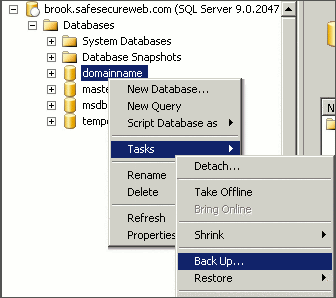
- Under Backup type, select Full.
- Under Destination, click Add.

- Enter the path and file name for the backup file.
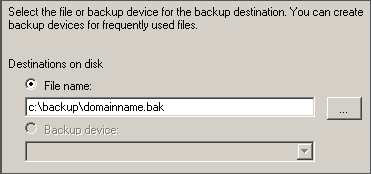
- Click OK.
- Review the settings for the backup.

- Click OK to begin the backup.
The instructions above will create a complete backup of your database. This is the recommended method to ensure that all data is backed up.


